
Advanced Image Color Picker
Drag & Drop an image here or Browse File
Selected Color
WCAG Contrast Accessibility
Dominant Color Palette
Recent Picks
How to Use Image Color Picker Online Tools:
A Complete Step by Step Guide
Using an image color picker online tool is an excellent way to extract precise colors from any digital image for your design projects. Whether you are a web designer, graphic artist, or social media manager, an image color picker online saves time and ensures color accuracy. This guide will walk you through every stage of using an image color picker online tool, from accessing the website to saving your final image. Follow these simple steps to master the image color picker online process without any hassle.
Step 1: Accessing an Image Color Picker Online Tool
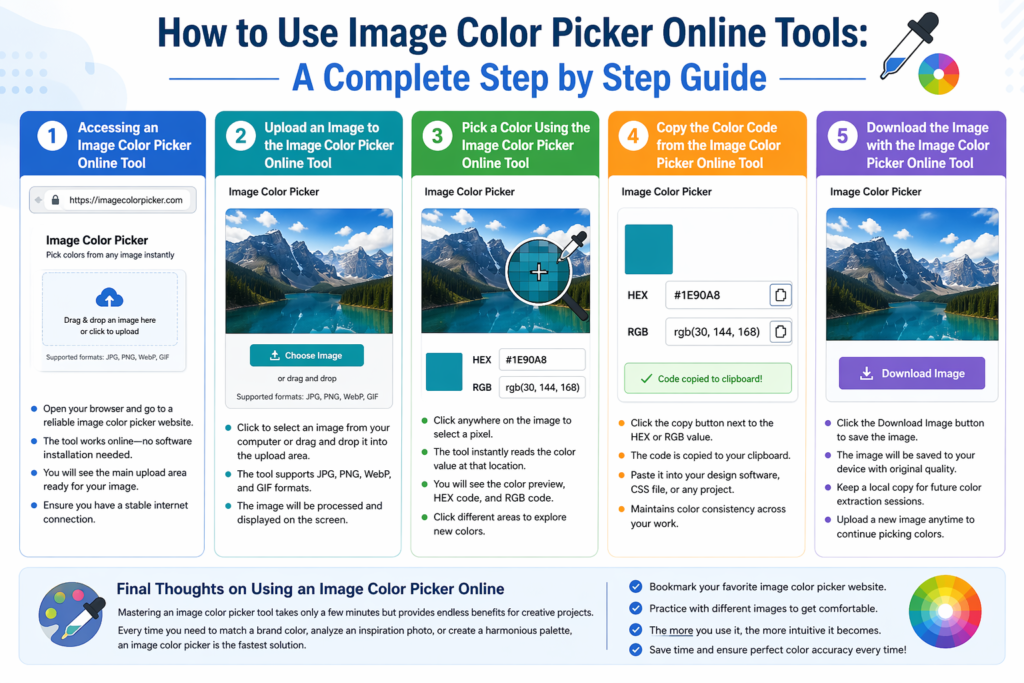
To begin, open your preferred web browser and navigate to a reliable image color picker online website. Many free options are available, so choose one that offers a clean interface and fast performance. Once the image color picker online page loads, you will see the main upload area ready for your image. Make sure you have a stable internet connection because the image color picker online tool works entirely in your browser without needing to install software. After accessing the image color picker online tool, you are ready to move to the upload step.
Step 2: Upload an Image to the Image Color Picker Online Tool
Open the page on your website where the image color picker online feature is located. You will see an upload box that is central to using any image color picker online tool. Either click to select an image from your computer or drag and drop an image file directly into the image color picker online upload area. The best image color picker online tools support multiple formats, so remember that supported formats for this image color picker tool include JPG, PNG, WebP, and GIF. After you complete the upload, the image color picker tool will process the image and display it on your screen.
Step 3: Pick a Color Using the Image Color Picker Online Tool
Once the image loads, it will appear on screen inside the image color picker interface. Now you can start using the core functionality of the image color picker tool. Click anywhere on the image to select a specific pixel. The image color picker tool instantly reads the color value at that exact location. Instantly you will see results from the image color picker tool, including a color preview box, a HEX code like #FF5733, and an RGB code like rgb(255, 87, 51). Every click gives you new color data, so experiment with different areas of the image using the image color picker tool until you find the perfect shade.
Step 4: Copy the Color Code from the Image Color Picker Online Tool
After picking your desired color, the next step with the image color picker tool is to copy the code. Look for the copy button next to the HEX value or the RGB value within the image color picker tool panel. Click the copy button, and the image color picker tool will save the code to your clipboard. The code is copied to your clipboard, ready to paste into your design software, CSS file, or any project. This efficient copying feature makes an image color picker tool invaluable for maintaining color consistency across your work.
Step 5: Download the Image with the Image Color Picker Online Tool
Sometimes you may want to save the image you have been working on. Many image color picker tools include a download option for convenience. Click the Download Image button provided by the image color picker tool. The image will be saved to your device with all its original quality intact. Using the download feature of an image color picker tool allows you to keep a local copy for future color extraction sessions. Even after downloading, you can always return to the same image color picker tool and upload a new image to continue picking colors.
Final Thoughts on Using an Image Color Picker Online
Mastering an image color picker tool takes only a few minutes but provides endless benefits for creative projects. Every time you need to match a brand color, analyze an inspiration photo, or create a harmonious palette, an image color picker is the fastest solution. Bookmark your favorite image color picker website so you can access it anytime. Now that you know each step, practice using an image color picker tool with different images to become completely comfortable. The more you use an image color picker, the more intuitive the process becomes, saving you hours of manual color matching.