
How to Use a Sharpen Image Online Tool
A Step-by-Step Guide
If you have a photo that looks a little soft or out of focus, you do not need expensive software to fix it. You can simply sharpen image online using a free web-based tool. This guide will show you exactly how to sharpen image online in a few simple steps. Follow this step-by-step guide to sharpen image online and improve your pictures instantly.
Step 1: Upload an Image
The first step to sharpen image online is to upload your photo to the tool. Look for the main workspace on the website.
Click on the Upload button
Select an image from your device
Supported formats: JPG, PNG
The image will instantly appear on the screen
Once you see your image on the screen, you are ready to move to the next step and sharpen image online effectively.
Step 2: Adjust Sharpness
Now comes the most important part of the process. To properly sharpen image online, you need to control the intensity of the effect.
Use the Sharpness slider (0–100)
Move the slider to:
Increase clarity
Enhance details
Changes will appear in real-time (no page reload)
As you move the slider, you will see the tool sharpen image online right before your eyes. Watch how the edges become more defined and the subject stands out better.
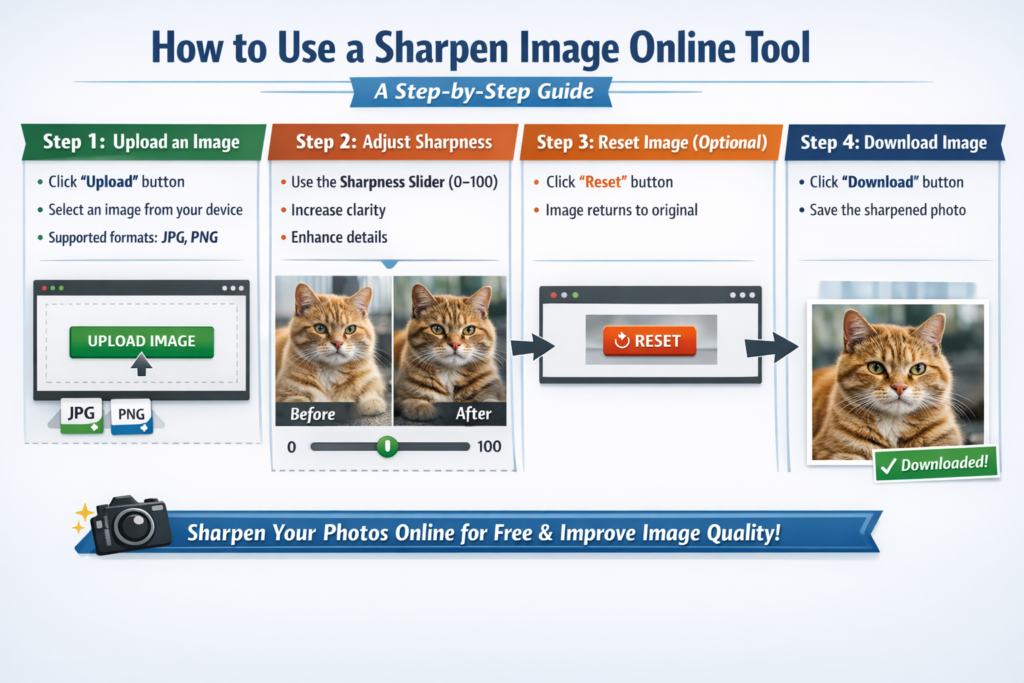
Step 3: Reset Image (Optional)
While you learn how to sharpen image online, you might want to compare your result with the original photo. Most tools offer an undo feature.
Click Reset button
Image will go back to original
This option allows you to sharpen image again from the starting point if you are not happy with your first attempt. You can practice multiple times until you get the perfect level of sharpness.
Step 4: Download Image
Once you are satisfied with the result, the final step is to save your work. After you sharpen image , you will need to store the new version on your device.
Click Download button
The sharpened image will be saved to your device
Now you have successfully learned how to sharpen image. The downloaded image will have better clarity and more visible details than your original upload. You can use this method any time you need to sharpen image quickly and for free.